

So you're asking yourself - 'What equipment do I need for a home recording studio?' In this home recording studio equipment list, we will be going through the essential components that you will need to get started with your home studio recordings.

10 Home Recording Studio Equipment List Essentials:
- Computer
- Digital Audio Workstation (DAW software)
- Audio Interface
- Microphones (with a pop filter for vocals)
- Studio Monitors
- Headphones
- Audio Cables
- Microphone Stands
- MIDI Keyboard
- Acoustic Treatment
So let's take a closer look at these home recording studio equipment list essentials in a bit more detail and help you find the best equipment options available.
1. Studio Computer

If you're are starting a home recording studio from scratch then this will be one of the most expensive elements as it's best to get the fastest computer you can afford.
However most computers these days are quite fast and probably fast enough to get you started. So I would recommend using the one you have until you want something faster.
When you do decide to upgrade I would recommend the classic: MacBook Pro
For more information about what computer specs you'll need, you can find more information here: Computer Specs for Music production.
2. Digital Audio Workstation (DAW)

The Digital Audio Workstation or DAW for short is the software you'll use to record, edit and mix your recordings on your computer. There are 3 popular DAWs:
Pro Tools
Pro Tools is the industry standard and probably the best when it comes to complex audio mixing, processing, and routing. Not the cheapest choice but they do do a basic version of the software called Pro Tools First and it's free. But it is limited to only 16 recording tracks.
Logic Pro X
Logic Pro X is a popular choice for Mac users. Many songwriters, producers, and musicians both professional and beginners are also using it when they start producing, recording and mixing. If you’ve used Garage Band, Logic Pro X is a nice step up into the world of pro recording because it has a similar layout and looks.
Ableton Live
Despite the complete version being a bit more expensive, it is still a popular choice for producers in the electronic genres because of its really good MIDI, VST, and song creation workflow. It is also a popular choice for playback tracks in live shows.
There are also other options you can explore like Cubase, Reaper, FL Studio. Just remember that there is no difference in audio quality between DAWs, and no DAW 'sounds' better than any other.
It’s all about the DAW that has the right workflow for you, there is no one size fits all.
If you are interested in finding free or paid DAW software then check out our related articles:
3. Audio interface

The Audio interface is the hardware that connects your computer to the rest of your gear. Unless you’re planning on using only virtual instruments (VIs) and samples in your productions, you’ll need an audio interface. The audio interface will allow you to record audio such as your voice, guitar or other acoustic instruments via a microphone or instrument cable. An audio interface also will provide you with some better quality output connections for a set of monitors (speakers) or headphones.
Audio interfaces can range in price from $100 to thousands of dollars. For most home recording studio enthusiasts, however, you probably won’t need that many inputs unless you’re recording a live band/ensemble or wanting to record drums with lots of microphones and can thus buy a cheaper interface.
The audio interface that I would recommend is the

or on the mid-price range the:
If you decide you need more than two inputs, I would recommend the:

Related Articles:
4. Studio Microphones
As your studio grows you will begin to accumulate more microphones but when you first set up your home recording studio you probably only need one or two microphones.
There are three different types of microphones:
- Dynamic
- Condenser
- Ribbon
For more information on different types of microphones check out our Studio Microphone Guide.
For now, we will focus on Dynamic and Condenser microphones as they're the most commonly used microphones and what you will use 95% of the time. The microphone that you decide to buy depends on what you want to record.
Microphones for Recording Singing and Vocals
Most people start out by recording vocals and the type of microphone that I would recommend for recording vocals is a Large Diaphragm Condenser microphone. I would personally choose the:

- Large 1” capsule with gold plated diaphragm. Maximum SPL is 137 dBSPL
- Cardioid polar pattern; True condenser (externally biased)
- Ultra low noise, self noise of only 5dB (A)
You'll notice that the Rode NT1-A comes with a pop filter included. A pop filter is used to reduce pops or plosives going into your microphone. A plosive is a puff of air from your breath that hits the diaphragm of the microphone and causes it to overload making a large bass pop or thump sound.
If you choose to buy a Large Diaphragm Condenser vocal microphone without a pop filter included, then I would recommend reading this: A guide to Pop Filters.
Microphones for Recording High-Frequency Instuments
For instruments with high-frequency sounds such as acoustic guitar, piano, strings, percussion, or cymbals I would recommend using a small diaphragm condenser microphone and my personal choice for getting started would be the:

- Rugged all-metal body and robust design withstands tough day-to-day use
- Switchable attenuation pad for high SPL applications up to 155 dB SPL
- Heavy-duty, roadworthy, all-metal construction
Microphones for Recording Loud & Mid-range Instruments
For drums, and electric guitar amps I would recommend using dynamic microphones and the best mic to start with is definitely the:
Microphones for Bass Frequency Instruments
For bass drums, bass guitars, and other low-frequency instruments I would also recommend a dynamic microphone and a great mic to start with is the:

- Frequency response shaped specifically for kick drums and bass instruments
- Built-in dynamic locking stand adapter with integral XLR connector simplifies setup, especially inside a kick drum
- Studio quality performance, even a high sound pressure levels
These 4 mics are in my opinion the best cheap microphones to get you started.
Related Articles:
5. Studio Monitors (Speakers)
These days it's quite common for home studio engineers to mix their recordings on headphones but traditionally all mixing was done on speakers known as Studio Monitors or Near-field Monitors in the pro audio world.
Studio Monitors have a much flatter frequency response than commercial speakers which gives you a much more neutral and uncolored sound to be able to judge your mix. You can purchase a decent pair of studio monitors for as little as $200.
Here are some examples:

KRK RP5 Rokit G4 Studio Monitor
However, once you get into the mid and higher price range of studio monitors, you will definitely notice a difference and the extra money spent will really help you with your recording, production, and mix decisions.
Here are a few examples:
Mid price range:
High price range (for a home studio):

Neumann KH 120 A (My personal Favourite)
If you're interested in finding more studio monitors, then you might be interested in this article: 10 Best Studio Monitors for Home Studio
6. Headphones
If you are planning on recording vocals or any other instrument with a microphone in the same room as you have your studio monitors then you’ll need some headphones. If you do not use headphones and are listening to your studio monitors while you're recording then it is likely that the microphone will create feedback and other unwanted noise and phasing.
There are two main types of headphones:
- Closed back headphones for recording (tracking) – offer the best sound isolation at the but reduced sound quality.
- Open back headphones for mixing – offer better sound quality at the but reduced isolation.
Open back headphones are maybe considered a bit of a luxury for your first studio, closed back headphones, however, are a necessity.
Here are a few examples that I would recommend:
Closed Back:
beyerdynamic DT-770 Pro 250 Ohms
Open Back:
I have written a more in-depth article about open vs closed-back headphones if you're interested: Open vs closed-back headphones for mixing.
Also, check out our guide to the Best Studio Headphones.
7. Audio Cables
When you've built up your studio equipment a bit more you'll probably have loads of cables but for now, you only need a few cables for the equipment that you currently have.
The main cables that you'll need will be XLR microphone cables to connect your microphones to your audio interface. You'll need one cable for each microphone and I would recommend going for mid-price range cables because from my experience the cheap ones don't last long.
You will also need two short XLR's to go from your audio interface to your studio monitors. But before you buy them just check that your audio interface has XLR outputs and not TRS jack outputs. If the audio interface does have 1/4-inch tip-ring-sleeve outputs then you'll need 1/4-inch tip-ring-sleeve to XLR cables.
You may also need instrument cables to connect electric instruments to your audio interface. You can connect the electric instrument to a channel on the audio interface using a standard 1/4-inch tip-sleeve instrument cable.


8. Microphone Stands
One thing that is easy to overlook when buying equipment for a home studio is microphone stands. Microphone stands come in all shapes and sizes here are a few examples:
- Tripod boom mic stand - good multi-purpose mic stands with a long reach when they have a boom on top.
- Round base mic stand - good for singers and they have a small footprint so they don't take up to much space.
- Low profile - these stands are specifically designed for instruments and cabs at low heights eg. kick drums and guitar cabs.
- Overhead stands - these can be used for recording drum overheads or small orchestras and are the most expensive of this list, just because of their size.
- Desk arm/stand - these stands are designed to be placed on a desk or table and can be good for a home studio if your recording your own voice or podcasting.
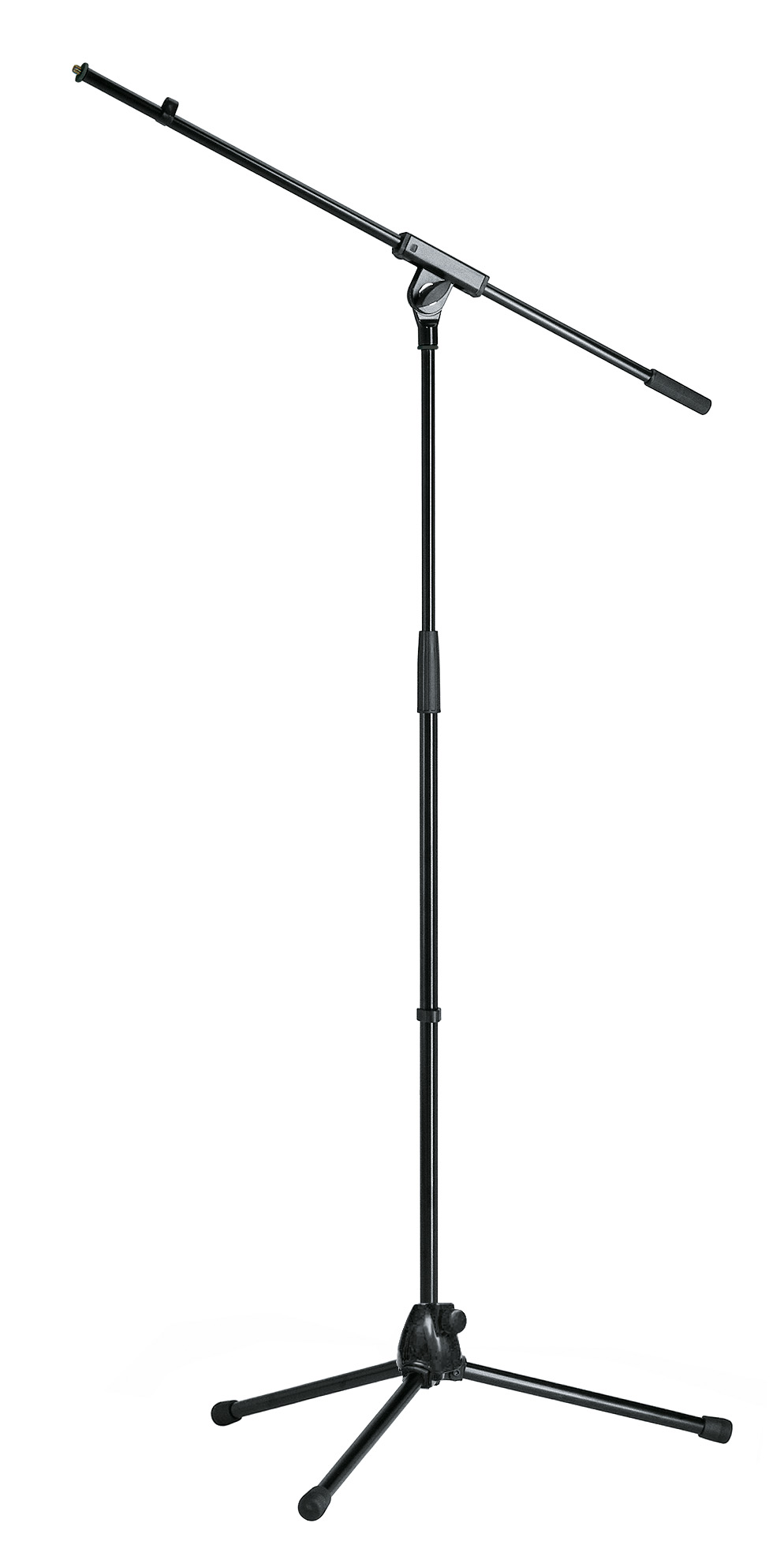


The easiest way to figure out what microphone stands to buy is just to figure out what you'll be using them for. You can start with just one or two stands and then buy more as and when you need them.
If you're looking for a microphone desk arm stand, check out our guide: 8 Best Microphone Boom Arm Stands.
9. MIDI Keyboard/Controller
If you are creating music within your DAW software using MIDI. Then you are probably going to need a Midi Keyboard/Controller at some point. You can use your computer keyboard like a piano, in most DAWs. But a MIDI keyboard will make things a lot easier and more expressive.
Most MIDI keyboards don't make any sounds on their own they are controllers only. This means that you connect the MIDI keyboard to your computer via a USB cable or midi cable (via an audio interface). The keyboard then sends MIDI signals to your DAW software, which then generates the sounds (with software instruments) which you hear through your speakers. By using the software instruments in your DAW software you will be able to find a lot of different sounds.
There are so many options for MIDI keyboards out there but if you're looking for something small to get you started I would recommend the
Arturia MiniLab MkII 25 Slim-Key Controller

You can also find more recommendations here: 7 Best MIDI Keyboard Controllers for Home Recording.
10. Acoustic Treatment
One other area that I need to mention is Acoustic Treatment. This is a really important part of getting good-sounding results in both the recording and mixing stages.
I'm not going to go into much detail about this here, as it's such a big subject. If you want more information though you can read more on our How to do Acoustic Treatment for Home Studio post.
Final Thoughts
When you buying home recording studio equipment I would recommend only buying the essentials. You can gradually start buying more studio equipment when you absolutely need it. But be careful as it's very easy to get caught up in all the gear and to lose focus on perfecting the art of recording and mixing.
If you're interested in starting to record in your home studio, then this article might be of interest to you: How to Record a song at home on your computer.
Last update on 2026-10-11 / Affiliate links / Images from Amazon Product Advertising API


