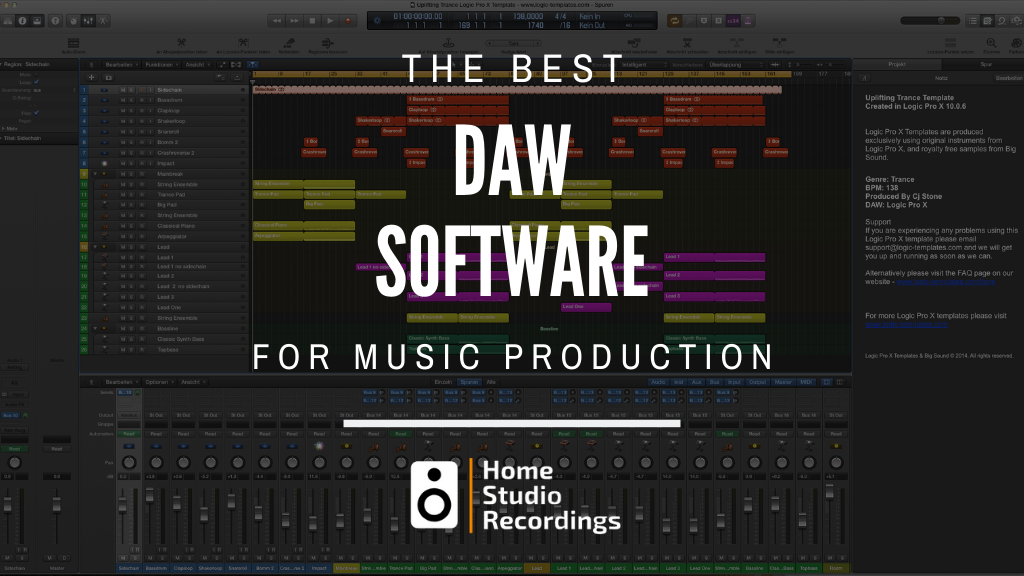
Choosing the right Digital Audio Workstation (DAW) in 2026 means navigating a landscape that has changed dramatically in the last 12 months. AI-powered stem separation is now built into most major platforms. Apple Silicon optimization has become a baseline expectation. And the rise of cross-device, mobile-first workflows means your DAW needs to follow you from iPad to desktop without missing a beat.
Whether you’re building your first home studio setup or upgrading a professional production environment, this guide breaks down the 10 best DAWs available right now — with up-to-date pricing, 2026 feature highlights, and honest pros and cons for every experience level and genre.
Top DAW Software at a Glance (Quick Top Picks)
| DAW | Best For | OS | Starting Price |
|---|---|---|---|
| Ableton Live 12 | 🎛️ Electronic Music & Live Performance | Mac + Win | $99 (Intro) |
| FL Studio 24 | 🎤 Beatmakers & Hip-Hop Producers | Mac + Win | $99 (Fruity) |
| Logic Pro 11/12 | 🍎 Best Value & Overall DAW for Mac | Mac only | $199.99 |
| Fender Studio Pro 8 | ⚡ Fast Workflow & Splice Integration | Mac + Win | $199.99 |
| Cubase 14 | 🎬 Film Scoring & Advanced MIDI | Mac + Win | $579.99 (Pro) |
| Avid Pro Tools | 🎚️ Industry Standard Recording & Mixing | Mac + Win | $9.99/mo (Artist) |
| Bitwig Studio 6 | 🔬 Sound Design & Modular Enthusiasts | Mac + Win + Linux | ~$199 (Essentials) |
| Reaper 7 | 💰 Best Budget DAW & CPU Efficiency | Mac + Win | $60 (Discounted) |
| Reason 13 | 🎛️ Analog Rack Emulation | Mac + Win | $9.99/mo |
| GarageBand | 🆓 Best Free Option for Mac/iOS | Mac + iOS | Free |
In-Depth Reviews: The Best DAWs of 2026
1. Ableton Live 12 — Best for Electronic Music & Live Performance
Platforms: macOS + Windows | Price: Intro $99 / Standard $439 / Suite $749
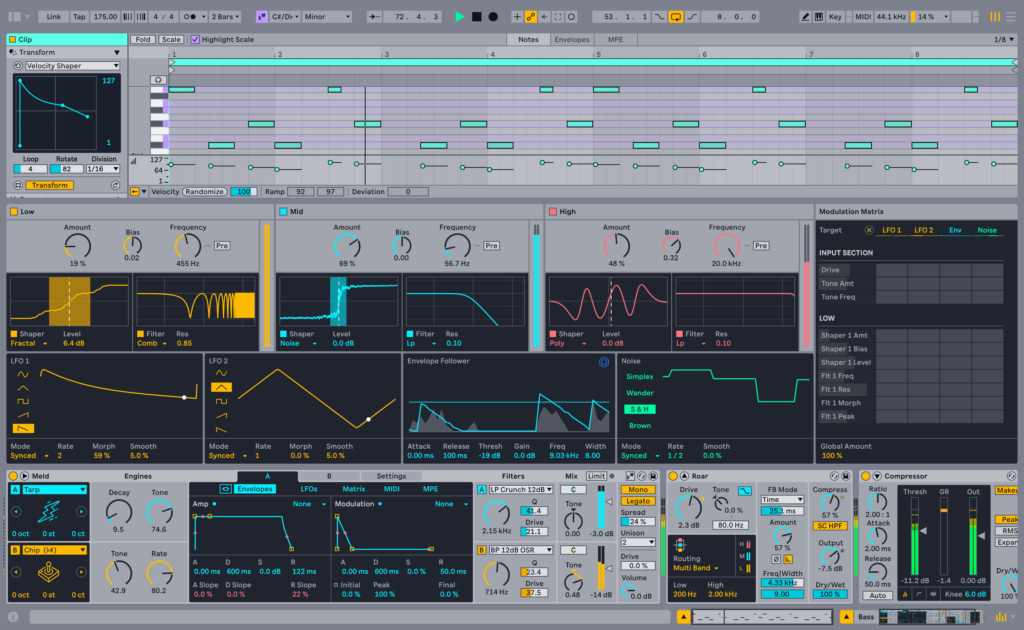
Ableton Live 12 is the most substantial overhaul of the software in over a decade, and it’s still the undisputed champion for live electronic performance and creative production. The dual-view interface — Session View for clip-launching and Arrangement View for linear composition — remains the gold standard for performers and studio producers alike.
What’s New in Live 12 (2026 update): The headline addition is Roar, a multi-stage saturation and distortion device that can run in serial, parallel, mid/side, or multiband configurations. Live 12 also introduces micro-tuning and non-Western tuning systems via a draggable Tuning Pool, and powerful MIDI Transformation tools (Strum, Rhythm, Ornament, and more) baked directly into the Piano Roll for generative composition. The Meld synthesizer adds a bi-timbral, MPE-ready instrument, and Granulator III brings granular synthesis natively into Live with real-time audio capture. Live 12.3 Suite also introduced AI stem separation — right-click an audio clip to split it into vocals, drums, bass, and other stems, with Apple Silicon GPUs accelerating the process.
✅ Pros
- Unmatched live performance workflow with clip-launching
- Roar distortion + Meld synth are creative powerhouses
- AI stem separation built into Suite (Live 12.3+)
- MIDI Transformation tools for generative composition
- Full micro-tuning / non-Western scale support
- Native Apple Silicon support
❌ Cons
- Suite version is expensive at $749
- Less intuitive for tracking/editing raw live audio vs. Pro Tools
- No native notation/scoring tools
- Stem separation and best features are Suite-only
Ideal for: Electronic, EDM, Techno, Experimental, Live DJ Performance, Sound Design
2. FL Studio 24 — Best for Beatmakers & Hip-Hop Producers
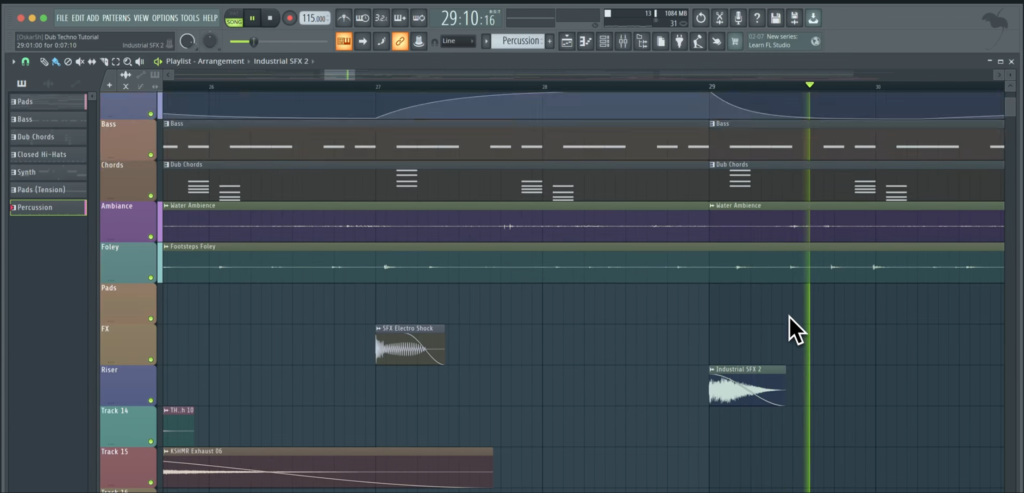
Platforms: macOS + Windows (full Apple Silicon support) | Price: Fruity $99 / Producer $199 / Signature $299 / All Plugins $499
FL Studio remains the most accessible on-ramp for beatmakers, and FL Studio 24 has evolved into a fully competitive, AI-powered production environment. The legendary Step Sequencer makes it perfect for programming trap hi-hat rolls, hip-hop grooves, and EDM patterns at speed, while the platform now punches well above its weight class in mixing, recording, and AI tooling.
What’s New in FL Studio 24: The flagship addition is AI-powered stem separation (Producer Edition and above). The Kepler Exo synthesizer is a meticulously modeled recreation of vintage Roland circuits with dual oscillators and FM modulation. FL Cloud is now deeply integrated with royalty-free samples, AI-powered mastering, and music distribution via DistroKid. Apple Silicon is fully supported natively. FL Studio also offers Lifetime Free Updates — buy once, get every future update permanently at no extra cost.
✅ Pros
- Best-in-class Step Sequencer for trap, EDM, and hip-hop
- AI stem separation built in (Producer Edition+)
- Kepler Exo vintage synth is exceptional
- Lifetime free updates — pay once, keep forever
- Full native Apple Silicon support
- FL Cloud integration for samples, mastering & distribution
❌ Cons
- Less intuitive for live band / multi-take recording sessions
- Older UI design compared to newer competitors
- Some advanced features locked to higher editions
Ideal for: Hip-Hop, Trap, EDM, Lo-Fi, Drill, Pop Production
3. Apple Logic Pro 11/12 — Best Value & Overall DAW for Mac
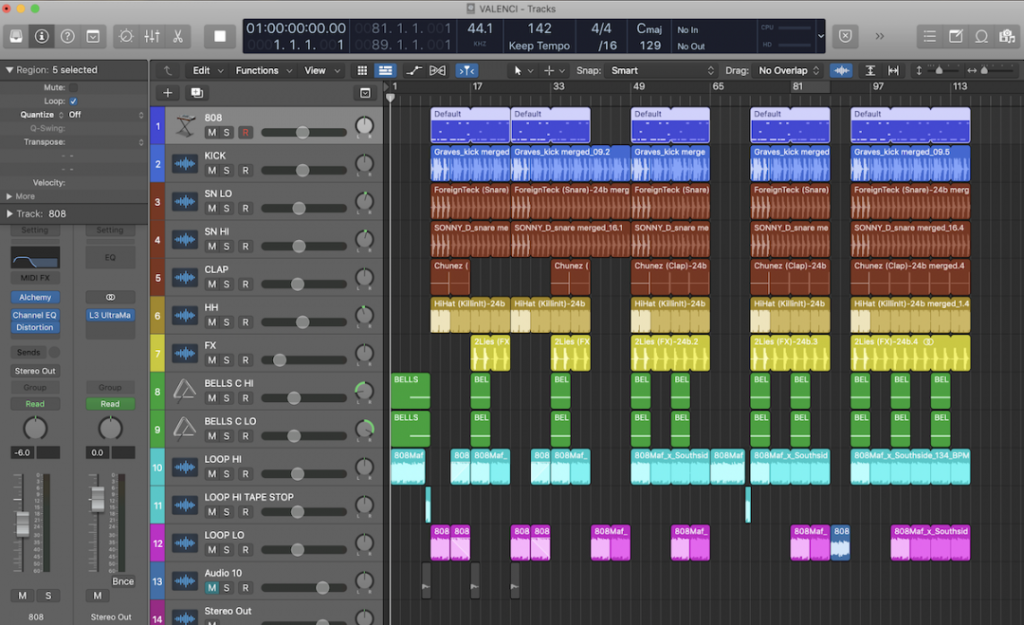
Platform: macOS only (Logic Pro for iPad also available) | Price: $199.99 (one-time perpetual); iPad: subscription only
At $199.99 for a perpetual license that includes continuous major updates, Logic Pro is arguably the best-value professional DAW on the market. Logic Pro’s most talked-about recent addition is the AI Session Players — virtual musicians powered by machine learning that can generate realistic drum, bass, keyboard, and Synth Player performances from your chord progressions. Stem Splitter extracts vocals, drums, bass, guitar, piano, and other instruments directly from audio regions. Spatial Audio / Dolby Atmos is deeply integrated with built-in binaural monitoring. The Logic Pro for iPad app allows full session handoff — start on your iPad, continue on your Mac. Logic runs with exceptional performance on Apple M1–M4 chips, fully native and optimized.
For Logic Pro users choosing an audio interface, the platform works seamlessly with virtually all modern USB, Thunderbolt, and USB-C interfaces.
✅ Pros
- Exceptional value at $199.99 — best bang for buck
- AI Session Players (Drums, Bass, Keys, Synth) are genuinely useful
- Stem Splitter for remix and production work
- Alchemy synth is world-class
- Native M-series Apple Silicon optimization
- Seamless iPad ↔ Mac workflow with Logic Pro for iPad
- Dolby Atmos / Spatial Audio support built in
❌ Cons
- macOS/Apple devices only — no Windows version
- iPad version requires a subscription
- Some AI features require newer Mac hardware
Ideal for: Pop, Rock, Hip-Hop, Film/TV Scoring, Singer-Songwriter, Podcast Production
4. Fender Studio Pro 8 — Best for Fast Workflow & Splice Integration
(Formerly PreSonus Studio One Pro — rebranded January 13, 2026)

Platforms: macOS + Windows | Price: $199.99 perpetual / $19.99/month subscription
At NAMM 2026, Fender rebranded PreSonus Studio One Pro as Fender Studio Pro 8. The most significant addition is native Splice integration, letting you access millions of royalty-free samples directly inside the DAW. AI Audio-to-Note conversion analyzes audio and converts it to MIDI. The new Chord Assistant helps songwriters find intelligent harmonic progressions. Fender Mustang Guitar and Rumble Bass plugins bring 57 amp models and 100+ effects directly into the session. Sessions created in the free Fender Studio iOS/iPadOS app transfer seamlessly to Studio Pro 8 on desktop.
✅ Pros
- Native Splice sample library integration is a workflow game-changer
- AI Audio-to-Note and Chord Assistant are genuinely useful for songwriters
- Fender Mustang / Rumble amp plugins add real guitar/bass value
- Extremely intuitive drag-and-drop workflow
- Outstanding notation and MIDI editing tools
- iOS app handoff for mobile-to-desktop workflow
❌ Cons
- Rebrand from Studio One may confuse long-time users
- Less adopted in EDM/electronic circles vs. Ableton or FL Studio
- Upgrade pricing from Studio One 7 is an additional $99.99
Ideal for: Keyboard Players, Songwriters, Bands, Film Composers, Guitar/Bass-led Recordings
5. Steinberg Cubase 14 — Best for Film Scoring & Advanced MIDI

Platforms: macOS + Windows | Price: Elements $99.99 / Artist $329.99 / Pro $579.99
Steinberg Cubase 14 brings remarkable stability, surgical MIDI editing, and one of the deepest film scoring environments available. Key additions include new Modulator tools, a built-in Pattern Sequencer, Shimmer reverb, and the VocalChain processor that consolidates pitch correction, doubling, de-essing, and saturation into a single vocal production chain. Cubase 14 Pro currently runs on Apple Silicon via Rosetta 2, with native ARM builds anticipated in the next update cycle.
✅ Pros
- Unmatched MIDI sequencing depth and flexibility
- VocalChain is an outstanding all-in-one vocal processor
- Rock-solid stability even on complex, large-format projects
- Exceptional for orchestral, jazz, and film scoring
- Deep third-party plugin integration (VST3, AAX via bridge)
❌ Cons
- Pro version is expensive at $579.99
- Steeper learning curve than Logic or Fender Studio Pro
- Not yet fully native on Apple Silicon (Rosetta 2 still required for Pro)
- Less fluid than Ableton for live electronic performance
Ideal for: Film Scoring, Orchestral Composition, Rock, Pop, Complex Arrangement Projects
6. Avid Pro Tools — The Industry Standard for Recording & Mixing
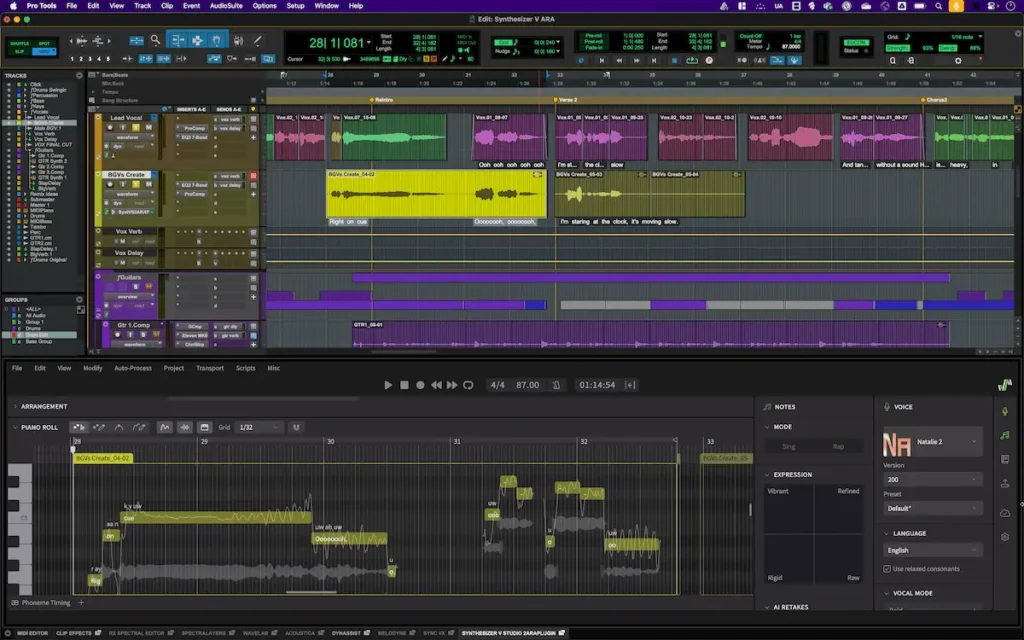
Platforms: macOS + Windows | Price: Intro (free) / Artist $9.99/mo or $99/yr / Studio $34.99/mo or $299/yr / Ultimate $99/mo or $599/yr
Walk into any commercial recording studio in the world and you will almost certainly find Pro Tools running. Its industry-standard status isn’t marketing — it’s decades of entrenched workflow familiarity across every major studio, post-production house, and music school.
2026 Subscription Tiers: Pro Tools Intro (free): 8 audio + 8 MIDI tracks. Artist ($9.99/mo): 32 audio + 64 MIDI tracks, 110+ instruments, Sketch window. Studio ($34.99/mo): 512 tracks, Dolby Atmos support — the sweet spot for project studios. Ultimate ($99/mo): 2,048 audio tracks, 64 video tracks, full post-production toolset. The Pro Tools Sketch window provides a clip-based, nonlinear environment similar to Ableton’s Session View, lowering the barrier for producers transitioning from loop-based DAWs.
✅ Pros
- Absolute industry standard — universal studio compatibility
- Pristine audio engine with stellar recording and editing tools
- Scalable subscription tiers from free to full professional
- Pro Tools Sketch adds modern clip-launching workflow
- Dolby Atmos immersive mixing in Studio and Ultimate
❌ Cons
- Steep learning curve, especially for MIDI/electronic production
- Subscription model can become costly over time vs. perpetual
- Requires iLok for license activation
- Most powerful features are locked behind expensive tiers
Ideal for: Professional Recording Studios, Mix/Mastering Engineers, TV/Film Post Production, Audio Engineering Students
7. Bitwig Studio 6 — Best for Sound Design & Modular Enthusiasts
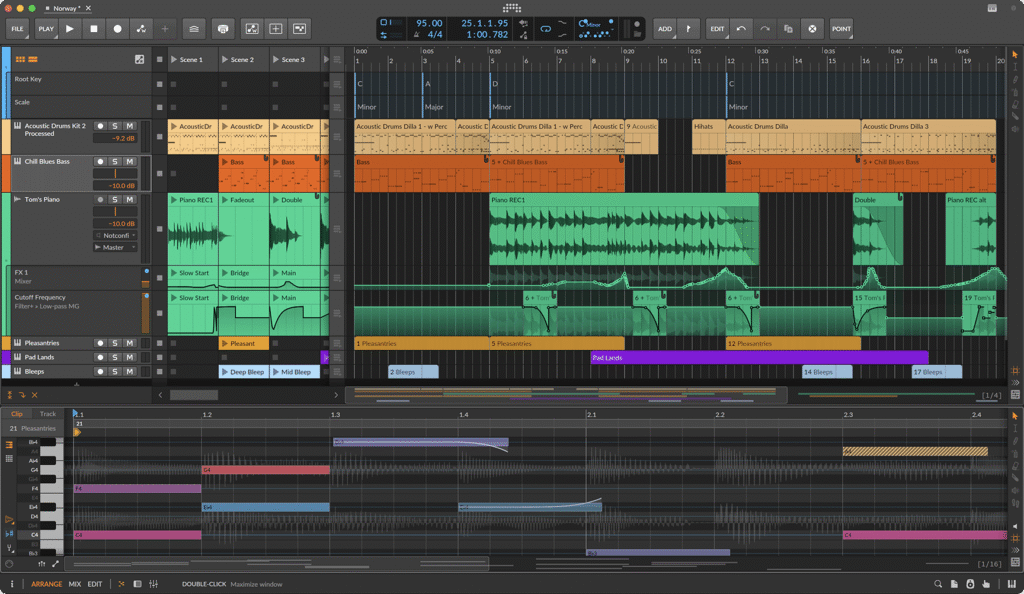
Platforms: macOS + Windows + Linux | Price: 8-Track $99 / Essentials $199 / Producer $299 / Studio $399
Bitwig Studio is the most forward-thinking DAW in this roundup. The Grid is Bitwig’s crown jewel — a fully modular synthesis and effects environment built directly into the DAW where you can build your own synthesizers and effects processors from scratch using modular patching, right inside your session. Combined with per-device modulators that can be added to virtually any parameter of any device, Bitwig enables a depth of sound design that no other DAW approaches.
What’s New in Bitwig Studio 6: A new Automation Mode overlays automation lanes directly on every track. The Detail Editor Panel now shows all automation on any track at once. Scale awareness is now visible in the Piano Roll. Clip Aliases allow you to reuse clips across arrangements without duplicating data. Bitwig is also the only major DAW with full Linux support.
✅ Pros
- The Grid modular environment is unique and extraordinarily deep
- Per-device modulators on everything — unmatched sound design flexibility
- Available on Mac, Windows, AND Linux
- Bitwig 6 significantly improves core DAW usability
- Plugin sandboxing prevents crashes from third-party plugins
❌ Cons
- The Grid has a steep learning curve for beginners
- Smaller user community and fewer tutorials than Ableton or FL Studio
- Less suited for traditional band recording
Ideal for: Electronic Music, Modular Synthesis, Experimental Sound Design, Live Performance, Generative Music
8. Cockos Reaper 7 — Best Budget DAW & CPU Efficiency

Platforms: macOS + Windows | Price: $60 (Discounted individual license) / $225 (Commercial license)
Reaper is the most cost-effective professional DAW on the market. For $60, you get a fully professional multi-track recording, editing, and mixing environment with an enormous extension library, extreme customizability, and a storage footprint of under 15MB. Reaper’s update model is exceptional: your license covers all updates through version 8.99. The community-driven extension ecosystem (ReaPack, SWS) adds functionality that rivals more expensive DAWs.
✅ Pros
- Exceptional value at $60 — professional tools at budget price
- Extremely lightweight (under 15MB install footprint)
- Outstanding CPU efficiency — ideal for older machines
- Highly customizable UI with themes and keyboard shortcuts
- License covers updates through version 8.99
❌ Cons
- Very limited built-in virtual instruments
- Default UI is austere and can feel daunting for beginners
- Smaller built-in sound library vs. Logic or FL Studio
Ideal for: Budget-Conscious Producers, Podcasters, Recording/Editing on Low-Spec Hardware, Educators
9. Reason 13 — Best for Analog Rack Emulation
Platforms: macOS + Windows | Price: $9.99/month (Reason+) or ~$499 perpetual
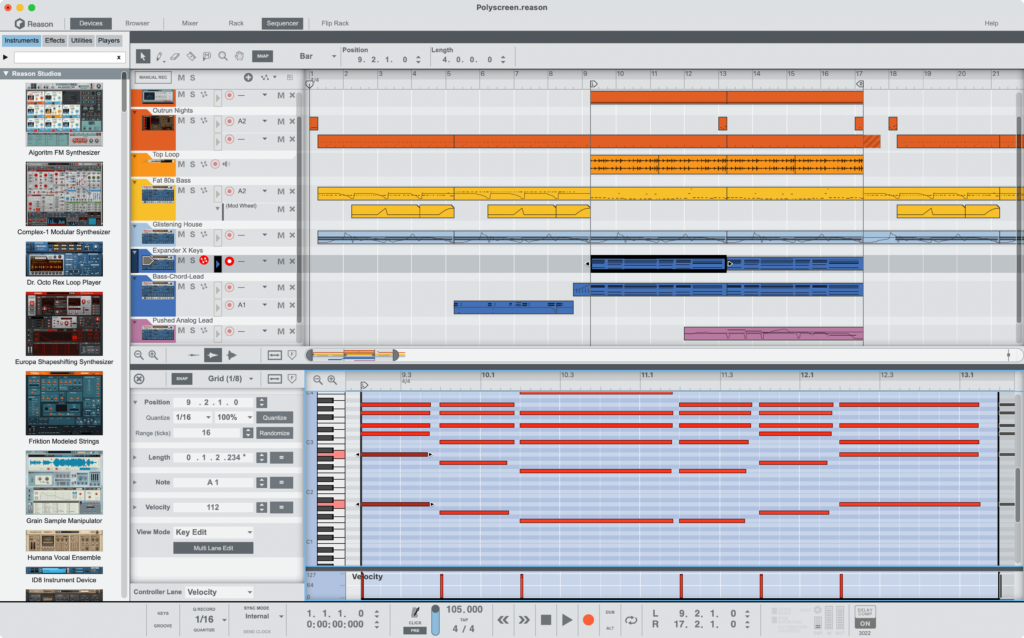
Reason remains one of the most distinctive DAWs in the industry. The analog-inspired rack interface — complete with virtual patch cables you can flip to inspect signal routing — provides an immersive, hands-on production experience like no other platform. Reason 13 adds an upgraded Combinator for deeper macro control and an SSL-inspired mixer emulation. The Reason Rack Plugin lets you use the entire Reason ecosystem as a VST/AU inside any other DAW — a unique selling point that gives producers access to Reason’s rack without committing to it as a primary DAW.
✅ Pros
- Unique and immersive analog rack interface — fun and tactile
- Reason Rack Plugin works inside other DAWs as a VST/AU
- SSL mixer emulation delivers great console-style sound
- Great for hands-on sound design and experimentation
❌ Cons
- Steeper upfront learning curve due to unique interface
- Less intuitive for traditional linear recording
- Smaller community compared to Ableton, Logic, or FL Studio
Ideal for: Electronic Music Production, Synthesizer Enthusiasts, Sound Design Experimentation
The Best Free DAWs for Beginners
Not ready to invest in paid software yet? Check out our full guide to the 10 best free DAW software options for a complete breakdown. Here are the two top picks:
Apple GarageBand — Best Free Option for Mac & iOS
Platform: macOS + iOS/iPadOS | Price: Free (pre-installed on all Apple devices)
GarageBand is a remarkable piece of software given that it costs nothing. Pre-installed on every Mac, iPhone, and iPad, it offers up to 255 tracks, a solid library of virtual instruments and loops, built-in drum machines, and an interface that genuinely prepares you for Logic Pro. Apple continues to actively update GarageBand, and the iOS version is particularly impressive for capturing ideas on the go.
Audacity — Best for Basic Audio Editing & Podcasting
Platform: macOS + Windows + Linux | Price: Free (open source)
Audacity is the go-to free tool for basic audio recording, editing, and format conversion. It’s not a full production DAW — it lacks MIDI, VST instrument hosting, and advanced mixing — but for podcasters, voice-over artists, and anyone needing to edit, trim, and clean up audio, it’s unbeatable. Available on Mac, Windows, and Linux.
Key DAW Trends to Watch in 2026
AI Stem Separation and Smart Mastering
AI stem separation has moved from third-party plugin novelty to core DAW feature in 2026. Ableton Live 12.3 Suite, Logic Pro, FL Studio (Producer Edition+), and Fender Studio Pro 8 all include built-in stem separation that splits audio into vocals, drums, bass, and other stems directly within the DAW timeline. Alongside this, AI mastering tools (FL Cloud, Splice) allow producers to generate release-ready masters in seconds with genre-specific presets.
Apple Silicon Optimization & Cross-Platform Flexibility
Apple’s M-series chips (M1 through M4) have fundamentally changed the performance ceiling for home studio producers. In 2026, native Apple Silicon support is no longer a bonus — it’s an expectation. Logic Pro runs flawlessly native on M-series hardware. FL Studio 24 optimizes its default buffer for Apple Silicon Performance cores. Ableton Live 12 offloads AI stem separation to the Apple GPU. If you need cross-platform flexibility, Ableton Live, FL Studio, Fender Studio Pro, Cubase, Bitwig, and Reaper all support both Mac and Windows equally well.
The Rise of Mobile Companion DAWs
The workflow of 2026 increasingly starts on a phone or tablet and finishes on a desktop. Apple leads here with Logic Pro for iPad, which allows full session handoff with all plugins and routings intact. Fender Studio Pro 8’s iOS app seamlessly sends projects to the desktop version. Ableton’s Move hardware and Note companion app extend Live’s session workflow to mobile. FL Studio Mobile continues to evolve as a capable companion to FL Studio on desktop.
How to Choose the Right DAW for Your Studio (Buyer’s Guide)
For a broader overview of building out a full recording setup, see our home recording studio equipment list.
Operating System: Mac vs. Windows
If you’re a Mac user, Logic Pro at $199.99 is almost impossible to argue with for the value. If you’re on Windows — or work across both platforms — FL Studio, Ableton Live, Fender Studio Pro 8, Cubase, and Reaper all work identically on both operating systems. Bitwig Studio is the only major DAW that also supports Linux.
Linear vs. Loop-Based Workflow
Linear DAWs (Pro Tools, Cubase, Reaper) arrange audio and MIDI on a traditional timeline from left to right — ideal for recording live bands, film scoring, and traditional song production. Loop-based DAWs (Ableton Live, FL Studio) organize production around clips and patterns that can be triggered and rearranged freely — ideal for electronic music, beatmaking, and live performance. Most modern DAWs now offer both modes.
Plugin and VST Support
All the DAWs in this guide support VST3 and AU plugin formats, which covers the vast majority of third-party plugins. Pro Tools uses its own AAX format — verify that your must-have plugins have AAX versions before committing. If you’re building a plugin library, check out our list of the 11 best free plugins for mixing and mastering as a starting point. Pairing great plugins with the right audio interface is the foundation of a professional home studio.
Pricing: Subscriptions vs. Perpetual Licenses
Perpetual licenses (Logic Pro, Reaper, FL Studio, Bitwig, Cubase) require a one-time payment and give you permanent access. Subscriptions (Pro Tools, Reason+, Fender Studio Pro) spread the cost over time but mean you lose access if you stop paying. For beginners, FL Studio’s lifetime free update model or Logic Pro’s one-time $199.99 purchase offer the best long-term value. Reaper’s $60 discounted license is the clear winner for budget-limited producers.
Frequently Asked Questions (FAQs)
What is the easiest DAW to learn for a beginner?
GarageBand (free on Mac/iOS) is the most accessible starting point for complete beginners. If you’re on Windows or want more growth potential, FL Studio Fruity Edition at $99 is beginner-friendly and grows with you. Logic Pro at $199.99 is easy enough for beginners while offering professional depth. Our tip: download a free trial of whichever DAW interests you most, spend a week with it, and trust your gut.
Do I need a Mac for music production?
No — not at all. Logic Pro and GarageBand are macOS exclusive, but every other DAW in this guide runs on Windows with identical features. Many top producers work entirely on Windows. That said, Apple Silicon Macs offer exceptional CPU performance per watt, making them a compelling choice if you’re building a new setup. See our home recording studio bundles guide for hardware starting points at every budget.
What DAW is the industry standard in 2026?
Avid Pro Tools remains the undisputed industry standard in professional recording studios, post-production facilities, and film/TV audio. However, "industry standard" is increasingly context-dependent — in the electronic music world, Ableton Live is the de facto standard; in Mac-based commercial pop production, Logic Pro is everywhere. The best approach for aspiring engineers is to become proficient in Pro Tools while also learning whichever creative DAW fits your genre.
Does one DAW sound better than another?
At the level of the core audio engine, modern DAWs are effectively bit-identical when performing basic mixing and routing tasks. The differences you’ll hear come from the built-in plugins, effects, and instruments — not the mixing engine itself. Focus on workflow, not sound quality, when choosing your DAW.
Which DAW is best for recording live instruments?
Pro Tools and Cubase have the strongest reputations for recording live bands and orchestral ensembles. Logic Pro and Fender Studio Pro 8 are excellent for singer-songwriters and band recordings. You’ll also want to pair any DAW with a solid audio interface — check out our audio interface buying guide. For vocal recording specifically, our guide to recording studio quality vocals covers everything from mic technique to DAW settings. When you’re ready to record your first complete track, our step-by-step how to record a song at home guide walks you through the full process.
Best DAW for Artists in 2026 — Video Guide
Final Verdict: Which DAW Should You Choose in 2026?
- Best overall value (Mac): Logic Pro at $199.99
- Best for beatmakers: FL Studio 24 with lifetime free updates
- Best for live electronic performance: Ableton Live 12 Suite
- Best for recording bands/vocals: Pro Tools Studio or Cubase Pro
- Best for film scoring: Cubase 14 Pro or Logic Pro
- Best for modular/sound design: Bitwig Studio 6
- Best for songwriters: Fender Studio Pro 8 with Splice integration
- Best on a tight budget: Reaper at $60
- Best free option: GarageBand (Mac/iOS)
Pick the DAW that resonates with you, commit to learning it deeply, and don’t get distracted by gear debates. Great music comes from the artist’s vision — the DAW is just the canvas. When you’re ready to build out the rest of your setup, check out our guides to the best studio headphones, the best audio interfaces, and the best free DAW software options.
Last update on 2026-11-02 / Affiliate links / Images from Amazon Product Advertising API