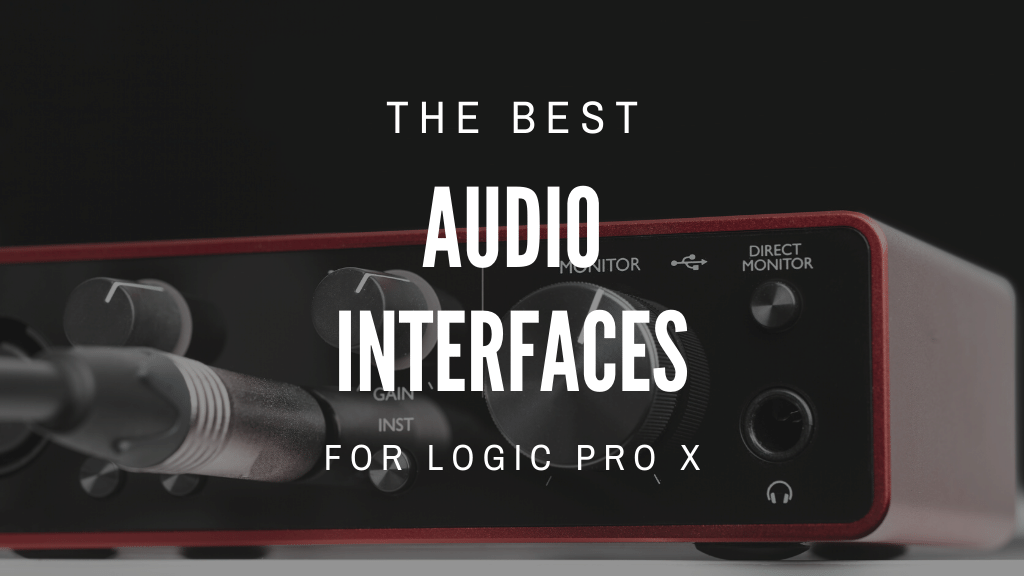
If you're a music producer, home studio enthusiast, or engineer who uses Logic Pro X, you need to have an audio interface. Audio interfaces allow you to connect your instruments and microphones to your computer so that you can record and edit your music.
So, what's the best audio interface for Logic Pro X? That depends on your needs and budget. In this blog post, we'll take a look at some of the best audio interfaces for Logic Pro X, based on our own experience and recommendations from other producers.
Top Picks


7 Best Audio Interfaces for Logic Pro X
Here is our list of audio interfaces for Logic Pro X DAW software. It's good to note that all of these audio interfaces will work with other DAW software including Ableton and FL Studio.
1. Focusrite Scarlett Solo USB Audio Interface
#1 OVERALL TOP PICK

This is one of Amazon's bestselling interfaces. This is the simplest model in the Scarlett range. It is the 3rd Generation of this model meaning the original has been continually upgraded to add extra features and improve the old ones we love.
This includes a third-generation Scarlett mic preamp, a switchable air setting to reproduce the air effect of Focusrite's original ISA mic preamp, this will give your vocal recording a much better and open sound. Although this is an entry-level interface the build quality is solid enough to stand the test of time on the road being taken from gig to gig. It is lightweight at only 12.8 ounces.
With any interface, it is important to make sure it is compatible with any PC or Mac. This one comes with all the software tools you need to get started and it connects via a USB cable. This will have you up and running sooner than ever before.
PROS
- 2 in / 2 out
- 1 powerful mic preamp
- In-build phantom power
- Solid metal case
2. Tascam US-16x08 – USB Audio/MIDI Interface
RUNNER UP

The Tascam US-16x08 can be used as a standalone mixer, 8-channel mic preamp, or as an audio interface. With 8 Ultra-HDDA mic preamps and USB 3.0 and USB 2.0 supports you are assured of ultrafast and high-quality recording. It also comes in with Built-in DSP for EQ, reverb, and compression making mixing easier.
To give you control there are dual headphone outputs allowing you to independently monitor the outputs. The recording quality is up to 24-bit/192kHz and supports all operating systems and DAW software including Logic Pro X. There is also a MIDI I/O.
The Tascam US-16x08 is arguably among the best USB audio interface that can comfortably connect with Logic Pro X. This is due to its great sound preamps that provide quality audio recordings and outputs. With this interface, you will be able to record 8 mics simultaneously which is a massive plus.
We found this interface a good choice for recording bands and musicians. This is because of its ability to support over 2 inputs like the guitar and drums. Despite recording audios from different inputs, it is designed to deliver clear and impeccable output fast and conveniently.
PROS
- Supports both USB 2.0 & 3.0
- Conveniently connects to iPad and iOS devices
- 16 X 8 simultaneous I/O and 8 Preamps
3. Universal Audio Apollo Twin MKII Duo

The Universal Audio Apollo Twin MkII Duo Audio interface is the perfect solution for anyone looking to record high-quality audio. This 2-in/6-out USB audio interface features two Unison-enabled mic preamps, letting you track through exacting mic preamp emulations from Neve, SSL, API, Manley, and Universal Audio.
The Universal Audio Apollo Twin MKII Duo Audio interface is perfect for home studios and project studios. With its world-class A/D and D/A conversion, classic analog tones, and cutting-edge features, the Apollo Twin Mk II will help you produce studio-quality recordings that sound great no matter where you record them.
With its compact design and included Thunderbolt cable, Apollo Twin MkII is the perfect solution for anyone looking to record high-quality audio in a home studio or on the go. It is compatible with Mac and Windows, with few challenges noted in connectivity to advanced production software.
PROS
- Real time UAD processor
- Connects with desktops
- Supported by music production software
- Records with near zero latency
4. Steinberg UR44 Audio Interface

One of the factors that stands out in UR44 is its good balance between connectivity and portability. Despite having 4 preamps, this interface still balances on its size and net weight making it very portable. It has drivers for both macOS and Windows making it able to support almost all audio recording software.
If you are planning to establish a recording studio, live band performance, or even a home studio, you may find this more valuable as it allows for a mic input for vocals and other instruments like the keyboard, guitars, and drums.
To sum it all up, we found this as among the simplest audio interface to handle. It is very simple to set as it only requires the installation of drivers and software, a process that takes less than 10 minutes even without technical skills.
PROS
- Simple to handle
- Supported by music production software
- Supports several musical instruments at a time.
- Full metal casing-durable
5. PreSonus Studio 68c 6x6

With the Studio 68c audio interface, you can start recording professional-quality music right out of the box. This audio interface has four of PreSonus' famed XMAX analog mic preamps, plus professional metering and monitoring features, making it the perfect tool for small productions, electronic artists, and bands.
The Studio 68c also comes with a Studio One Artist license, so you can start editing and mixing your recordings right away. Plus, with its powerful headphone amp and A/B switching, you can easily listen in to either mix while performing live.
The Studio 68c audio interface is a great interface to get started in home recording. With its crystal-clear sound quality, easy-to-use controls, and included Studio One Artist software, you'll be able to create recordings that rival those of professionals.
PROS
- Conveniently portable
- Possible to apply computer effects
- Fast and clean sound transmission
- Works virtually with all macs and windows
6. Focusrite Scarlett 18i20 USB Audio Interface

With 18 inputs and 20 outputs, the Focusrite 18i20 allows you to connect almost anything, making recording a breeze. On the front are 2 inputs featuring natural-sounding mic preamps. For more convenience on the back, there a 4 more mic/line inputs to connect keyboards, mixers and synths.
Among all other Scarlett interfaces, Scarlet Solo, Scarlet 2i2, Scarlett 2i4, Scarlet 6i6, and Scarlet 18i20, this is the most advanced. With 18 in and 20 out, 8 mic pres, 8 analog in and out and 2 headphone outs. Other features include ADAT I/O. SDIF, MIDI I/O, Focusrite control software and comes with a Three Month Avid Pro Tools Subscription.
Internal software included in the scarlet and other routing abilities make it possible to monitor sound faster and effectively. We would recommend this device for multitrack live recording. It can work with any PC and DAW including Logic Pro X.
PROS
- 18 in / 20 out
- 8 powerful mic preamps
- Solid metal case
7. PreSonus Studio 24c 2x2

This is an amazing product with a 2X2 setup. This means it will accept two mic inputs with its XMAX -L solid-state mic preamps to capture a vocal mic and one instrument such as guitar or bass. It has a professional look and the controls have a solid feel to them. It makes home recording a doddle with professional sound quality.
This interface works great at home for live streaming, in a recording studio for podcasts. It works well on the road for mobile musicians. And it comes with everything you need to get started including Studio One Artist and Studio Magic Plug-in Suite and USB-C to C and USB-C to A cable. It operated at up to 192KHz for next-level definition recording and mixing
This interface only has one headphone output. For many, this is no issue however and can be easily resolved with a splitter. With this Studio Series USB-C audio interface, you can record with virtually any macOS and Windows DAW software including Logic Pro X.
Related:
Things to consider when buying an Audio Interface for Logic Pro X
When you are looking for an audio interface for use with Logic Pro X, there are a few things you will want to keep in mind:
Input Types
If you need an interface with multiple input types, such as XLR and ¼” inputs, then look at Inputs/Outputs – the number of inputs and outputs offered by an interface will depend on your specific needs. If you only need a few input/output options, then a smaller interface will suffice. However, if you plan on recording multiple tracks simultaneously or need a variety of input/output options, then a larger interface is necessary.
Headphone Outputs
If you need an interface with multiple headphone outputs, then look at interfaces with more than one headphone output. This will allow you to monitor different tracks simultaneously.
Low Latency
Latency is the time it takes for an audio signal to go from the input of an audio interface to the output. This is important to consider when choosing an audio interface, as lower latency is ideal for recording and mixing. Some interfaces offer lower latency than others, so be sure to consider this when making your decision.
DAW Compatibility
Logic Pro X is a DAW software that is compatible with a variety of audio interfaces. When looking for an audio interface to use with Logic Pro X, be sure to choose an interface that is compatible with the software. This will ensure that the two work together seamlessly and you will be able to take advantage of all the features that each has to offer.
Interface Outputs
Interface outputs vary in number and type, so be sure to consider this when making your choice. Most interfaces offer ¼” outputs, but some also offer XLR outputs. If you need an interface with multiple output types, then be sure to choose one with multiple output options.
Mic Preamps
If you're planning on using an XLR microphone with the audio interface then you need to make sure that the interface has a built-in mic preamp. Some interfaces have multiple mic preamps, which is ideal if you plan on recording multiple tracks simultaneously.
Digital Converters
The digital converters in an audio interface convert the analog audio signal into a digital signal. This is important to consider when choosing an audio interface, as the quality of the digital converters will affect the sound quality of the recorded audio.
Sample Rate and Bit Depth
The sample rate is the number of times per second that an audio signal is sampled. The bit depth is the number of bits used to represent each sample. These two factors are important to consider when choosing an audio interface, as they affect the sound quality of the recorded audio. Higher sample rates and bit depths result in better sound quality.
Price
When choosing an audio interface, be sure to consider your budget. There are a variety of options available at different price points, so be sure to choose one that fits your needs and budget.
+48V Phantom Power
if you're planning on using a condenser microphone with the audio interface then you need to make sure that the interface has +48V phantom power. This is necessary in order to power the microphone.
FAQs
What is the best interface for logic pro X?
There is no one-size-fits-all answer to this question, as the best audio interface for Logic Pro X will vary depending on your specific needs. However, some interfaces that are well-suited for use with Logic Pro X include the Focusrite Clarett 2Pre, the Apogee Duet, and the Presonus Studio 24c.
What interface is compatible with logic pro X?
One of the things that makes Logic Pro so powerful is its compatibility with Core Audio–compliant audio devices. This includes devices such as USB audio interfaces, Thunderbolt interfaces, and FireWire audio interfaces. With so many options available, you can choose the best interface for your specific needs. And because Logic Pro works with all major audio device standards, you can easily switch to another interface if your needs change down the road.
Is logic pro compatible with Focusrite?
Yes, Logic Pro is compatible with a wide range of audio interfaces, including the Focusrite range. If you're looking for an interface that is specifically compatible with Logic Pro, then the Focusrite Scarlett Solo would be a good beginner option.
Are expensive audio interfaces worth the money?
The answer to this question depends on your specific needs. Generally speaking, more expensive audio interfaces will offer better sound quality and more features than their less expensive counterparts. However, there is a wide range of options available at different price points, so be sure to choose an audio interface that fits your needs and budget.
Does interface affect sound quality?
The answer to this question is yes, the quality of an audio interface can affect the sound quality of the recorded audio. This is because the audio interface is responsible for converting the analog audio signal into a digital signal. The quality of the digital converters in the audio interface will affect the sound quality of the recorded audio.
Is there a difference in sound quality between audio interfaces?
Yes, there is a difference in sound quality between audio interfaces. The quality of the digital converters in the audio interface will affect the sound quality of the recorded audio. Higher-quality digital converters will result in better sound quality.
Conclusion
These are just a few things to consider when choosing an audio interface for use with Logic Pro X. Be sure to consider your specific needs and budget when making your decision. There are a variety of options available, so be sure to choose one that is right for you.
In conclusion, the Focusrite Scarlett Solo USB Audio Interface is a great audio interface for anyone looking to get started with Logic Pro X. It’s easy to use and has all of the features you need to start producing professional-quality music. If you’re looking for something a little more advanced, the Tascam US-16x08 – USB Audio/MIDI Interface might be a better option, giving you more input options.
Last update on 2026-11-02 / Affiliate links / Images from Amazon Product Advertising API